
Customuse: Skins Maker Roblox
CustomuseArt & Design
4.713.13K Reviews
- Version
- 1.82.0
- Installs
- 10.00M
- Age Rating
- Everyone
Screenshots
Our Review of Customuse: Skins Maker Roblox
 Analysis by Appyee
If you're anything like me, you know that half the fun of Roblox is customizing your avatar to reflect your unique style. Enter Customuse: Skins Maker Roblox, an app that promises to take your Roblox customization experience to a whole new level. I’ve spent some time with this app, and here’s what I found.
Unleashing Your Creativity
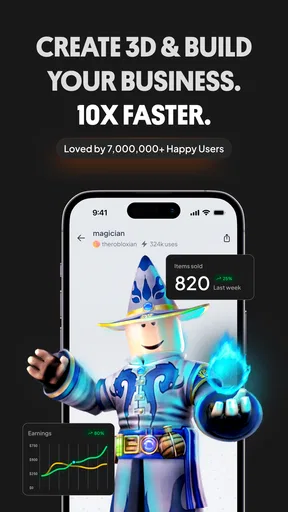
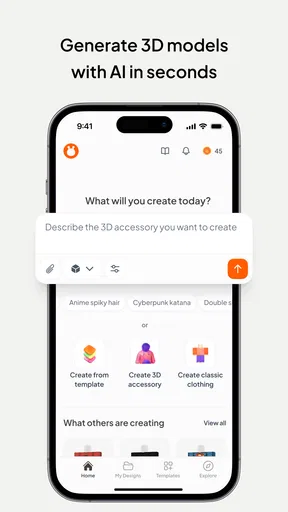
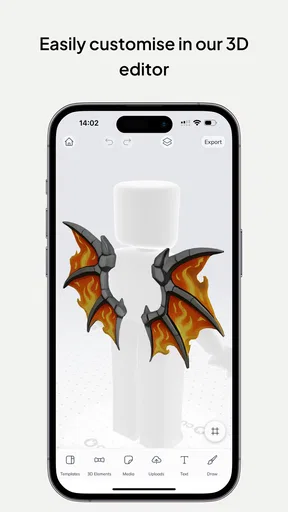
When I first opened Customuse: Skins Maker Roblox, I was greeted with a user-friendly interface that even the most tech-phobic among us can navigate with ease. The app is designed to let players create their own skins using a variety of tools and templates. Think of it as your personal canvas, ready to be transformed with a few taps.
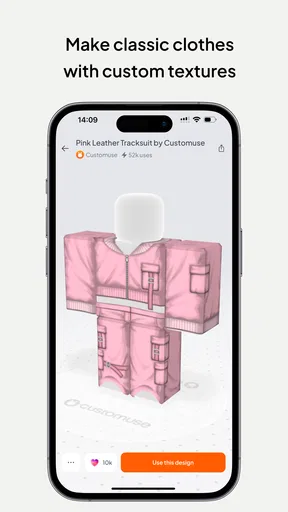
What I loved most was the sheer variety of options. Whether you’re into vibrant colors or minimalist designs, there’s something here for everyone. The app provides a wide range of patterns and textures to play with, and you can even import your own images to create truly personalized skins. This means your Roblox avatar can be as unique as you are.
Easy to Use Tools
The app doesn’t just throw you into the deep end and expect you to swim. Instead, it provides easy-to-use tools that make the customization process straightforward and enjoyable. You can adjust colors, patterns, and even add decals with just a few taps. There’s also an undo button, which I found particularly handy for those moments when my creative vision didn’t quite match the execution.
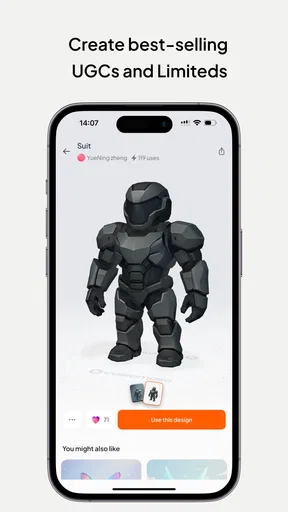
The real game-changer, though, is the app’s ability to preview your creation in 3D. This feature allows you to see exactly how your skin will look in the game, ensuring there are no surprises when you finally upload it to Roblox.
Community Features
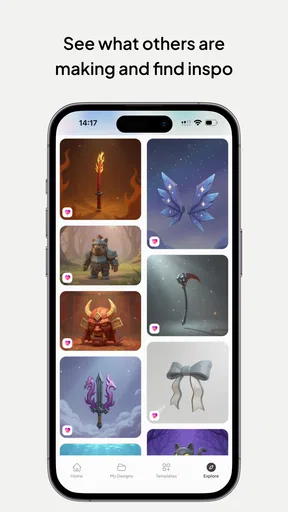
One of the standout features of Customuse: Skins Maker Roblox is its community aspect. You’re not just creating skins in isolation; you’re part of a vibrant community of fellow creators. The app allows you to share your creations with others, and even browse and use skins created by other users.
This communal aspect adds an extra layer of fun to the app. It’s not just about creating for yourself, but also about inspiring others and being inspired in return. Plus, seeing what others have created can spark new ideas for your own designs.
Seamless Integration with Roblox
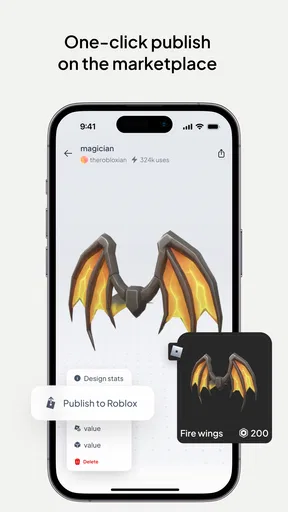
One of my concerns before trying the app was how easily it would integrate with Roblox. Luckily, Customuse: Skins Maker Roblox makes the process seamless. Once you’ve designed a skin you love, exporting it to your Roblox account is a breeze. The app guides you through the process step-by-step, ensuring that even the least tech-savvy among us can get their new skins up and running in no time.
Final Thoughts
All in all, Customuse: Skins Maker Roblox is a fantastic tool for anyone looking to add a personal touch to their Roblox avatar. It’s easy to use, packed with features, and integrates smoothly with Roblox itself. Whether you’re a seasoned artist or someone who just wants to dabble in skin creation, this app has something to offer.
So, if you’re ready to take your Roblox game to the next level and show off your creativity, I highly recommend giving Customuse: Skins Maker Roblox a try. It’s a game-changer in the world of Roblox customization, and I, for one, can’t wait to see what you create!
Verdict
Strengths of Customuse: Skins Maker Roblox
- Intuitive UI for seamless design
- Wide variety of customization options
- Regularly updated with new features
- Great for all skill levels
- Supports direct upload to Roblox
Limitations of Customuse: Skins Maker Roblox
- Limited free features
- Occasional bugs during design
- Heavy on battery usage
- In-app purchases can be pricey
- Requires internet for full functionality
Similar Picks in This Category
View All
Canva: AI Photo & Video Editor
Canva4.8

PENUP – Drawing-sharing SNS
Samsung Electronics Co., Ltd.4.5

Crafto
Kutumb App4.6

Sketchbook
Sketchbook4.1

ibis Paint X
ibis inc.4.5

Adobe Express: AI Photo, Video
Adobe4.6
Frequently Asked Questions
What is Customuse: Skins Maker Roblox?
Customuse: Skins Maker Roblox is an app that allows users to create and customize unique skins for their Roblox avatars. With a wide range of tools and features, users can design skins that reflect their personal style and share them with the Roblox community. The app is available for both Android and iOS devices.
Is Customuse: Skins Maker Roblox free to use?
The app offers a free version that includes basic features for skin customization. However, there may be premium features or content available through in-app purchases. These can enhance the design experience by providing additional tools, templates, or exclusive design elements.
How user-friendly is Customuse: Skins Maker Roblox for beginners?
Customuse: Skins Maker Roblox is designed with user-friendliness in mind. The app provides an intuitive interface and step-by-step guides to help beginners create their first skins. Tutorials and tips are also available to assist users in mastering the app’s features, making it accessible for all skill levels.
Can I share my custom skins with others on Roblox?
Yes, once you create a skin using Customuse: Skins Maker Roblox, you can share it directly with the Roblox community. The app provides easy options to export and upload your designs, allowing other users to view, use, or even purchase your creations, depending on the sharing settings you choose.
Are there any device requirements for using Customuse: Skins Maker Roblox?
Customuse: Skins Maker Roblox generally requires a device running the latest version of Android or iOS to ensure optimal performance. It’s recommended to have sufficient storage space and a stable internet connection for downloading assets and sharing creations. Checking the app store listing for specific requirements is always a good practice.
